
Class Collaboration
Collaborating with your students on Pearltrees lets you organize group or individual work while giving you the ability to follow and manage the work of your students.
To do this team-up on a collection with your students. In this tutorial, we will see how to start, manage and control the collaboration
1. How to start the collaboration
The first step is to create a collection in which you will collaborate with your students. Here is one way to create a collection. You can find other ways to do it in this collection.
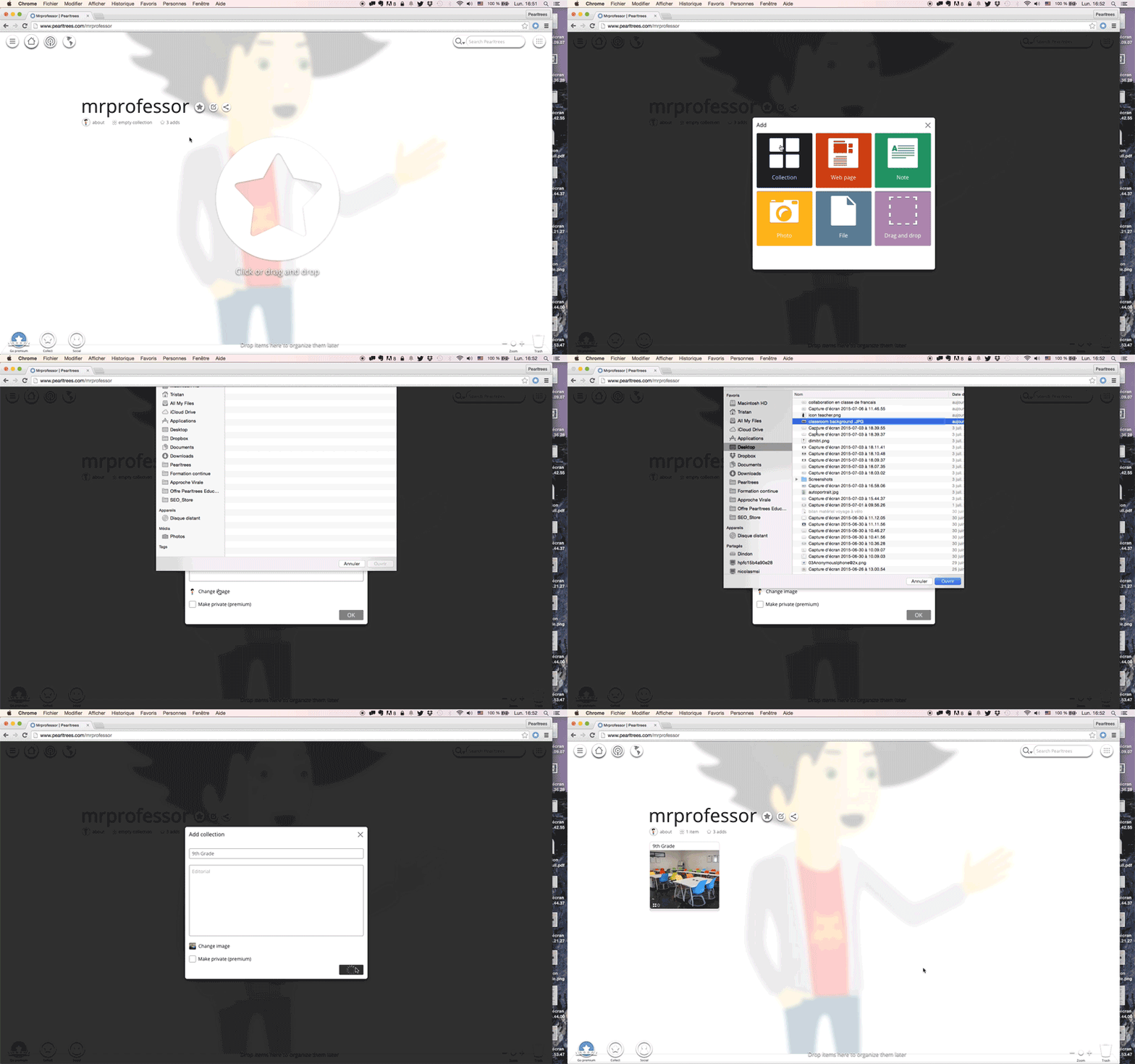
You then need to invite the students to collaborate in this collection. The collection will become a team in which you will keep some rights as the founder. The easiest way to invite your students is by email. Here’s how:
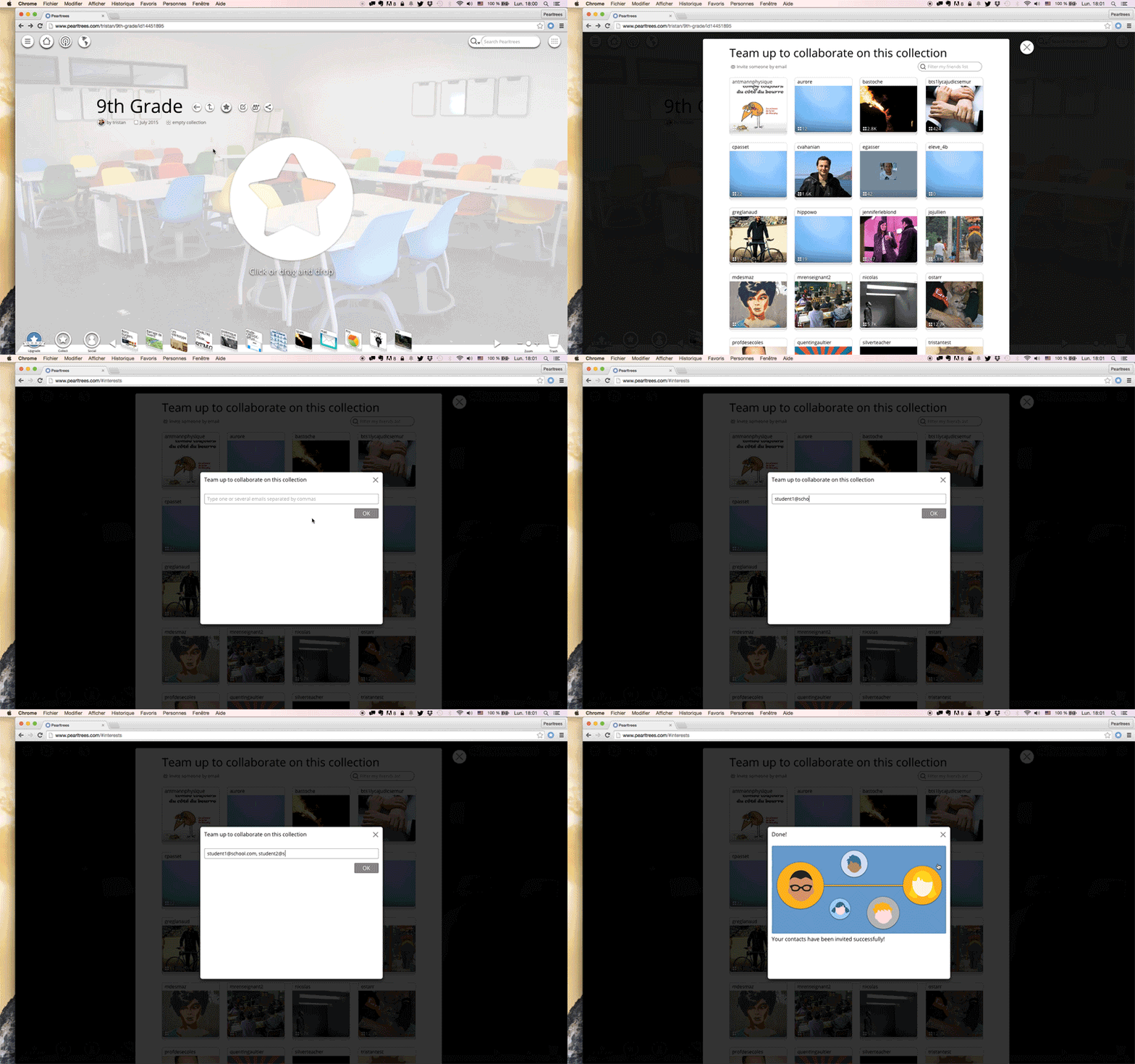
Each student you invite will receive an email asking him/her to come collaborate with you in Pearltrees.
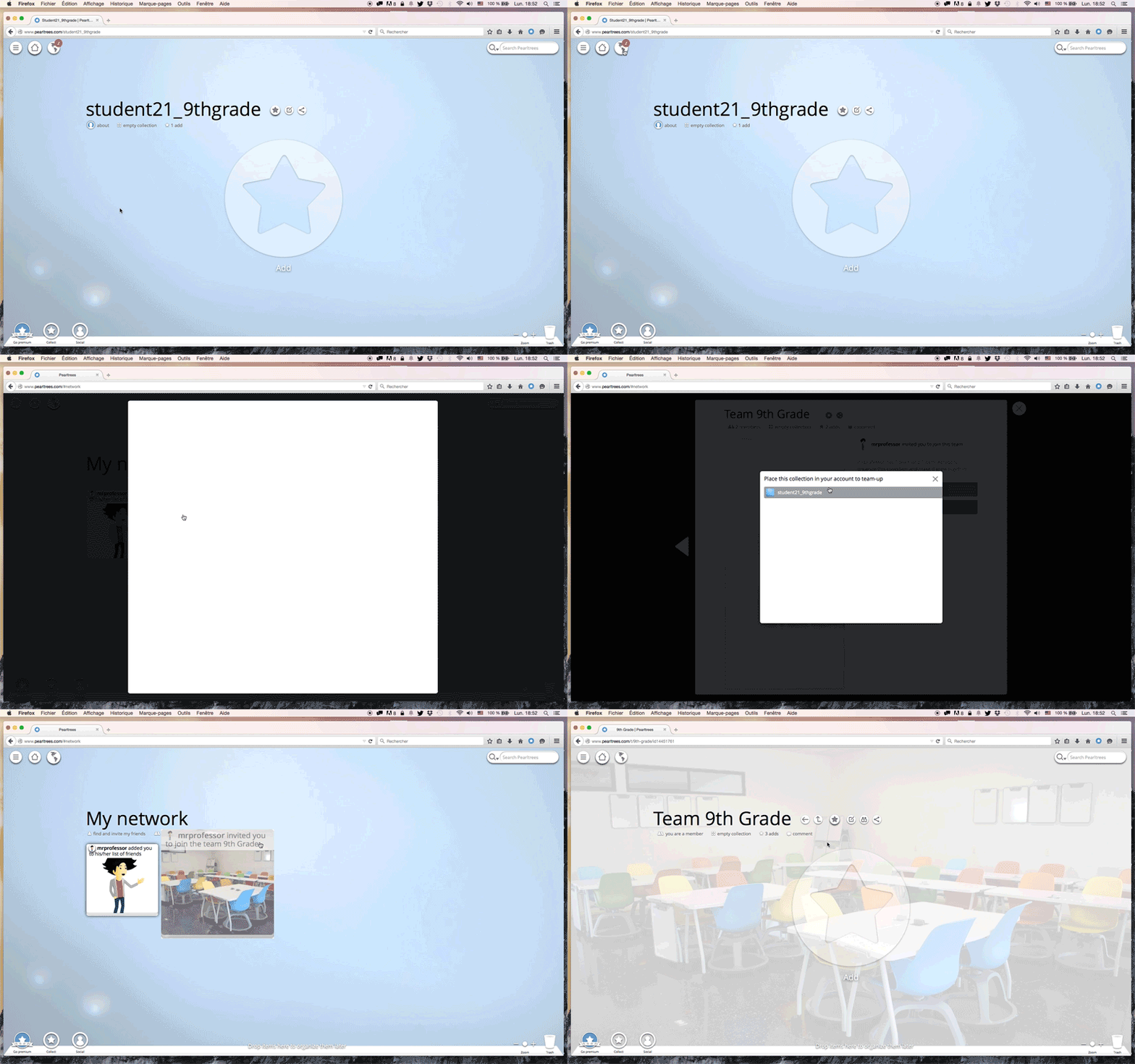
 If the student does not have a Pearltrees account, he will be invited to create one (here’s the tutorial to create an account). Once in Pearltrees, the students will have two notifications:
1. her/his teacher is now following him. 2. He has been invited to join a team.
Here’s how the student can accept the invitation:
You can now collaborate with your students.
2. Manage and control
As the founder of the team, the teacher has additional rights in his “Manage my team” panel.
“Manage my team” panel:

Teachers can use private messages to communicate with the students. These messages are a very good way to send instructions.

Teachers have access to the history of the team including who has added, moved, deleted specific content.

As a last resort, the teacher can freeze a student. He will still have access to the team but he will no longer be able to participate.

You can find other ressources to use Pearltrees with your students in the resources center.

Leave a Reply